Windows PC guide
Citron Emulator PC Download Guide
Use this Windows-focused Citron emulator PC guide to pick the correct ZIP file, understand stable versus nightly builds, install Citron Neo from GitHub, and avoid mirrors that bundle ROMs, firmware, prod.keys, or extra installers.
Download buttons open the verified GitHub source after a 15-second safety countdown.
Checked on August 7, 2026
Latest verified Windows builds
The stable Citron Neo Emulator release checked for this guide is the 2026-04-27 GitHub release. For Windows PC users, the stable release includes ZIP archives such as the MSVC build and the clangtron build. The MSVC ZIP is the simplest starting point for most users because it follows the familiar Windows archive workflow: download, extract, and launch from the extracted folder.
The current CI Windows nightly checked on August 7, 2026 is nightly-windows published on August 7, 2026 with upstream build hash 22d5038ec. The nightly page currently lists Citron-windows-nightly-22d5038ec-x64-clangtron.zip at about 62.7 MB. Nightly builds are useful when you need a newer fix, but they are not automatically safer or more stable than the stable release.
Windows build facts
This page links to release pages, not a repacked direct installer. File sizes are shown from GitHub release asset metadata and can change when the project publishes a new build.
Stable or nightly
Which Citron emulator PC build should you choose?
| Build | Best for | File to look for | Caution |
|---|---|---|---|
| Stable Windows MSVC | Most Windows users who want a predictable Citron emulator PC download and do not need the newest experimental fix. | Citron-windows-nightly-0237a9b88-x64-msvc.zip from the 2026-04-27 stable release. | Extract the ZIP before launching. Do not run the app from inside the compressed archive. |
| Stable Windows clangtron | Users comparing stable Windows archives or troubleshooting a build-specific launch issue. | Citron-windows-nightly-0237a9b88-x64-clangtron.zip from the stable release. | The build type does not include games, firmware, prod.keys, or title.keys. |
| Windows nightly | Users who specifically need a recent upstream commit, a newer Windows package, or a fix mentioned by the project. | Citron-windows-nightly-22d5038ec-x64-clangtron.zip from nightly-windows. | Nightly behavior can change quickly. Keep the build hash and date before troubleshooting. |
PC install flow
How to download and install Citron emulator on Windows PC
Open the GitHub release source
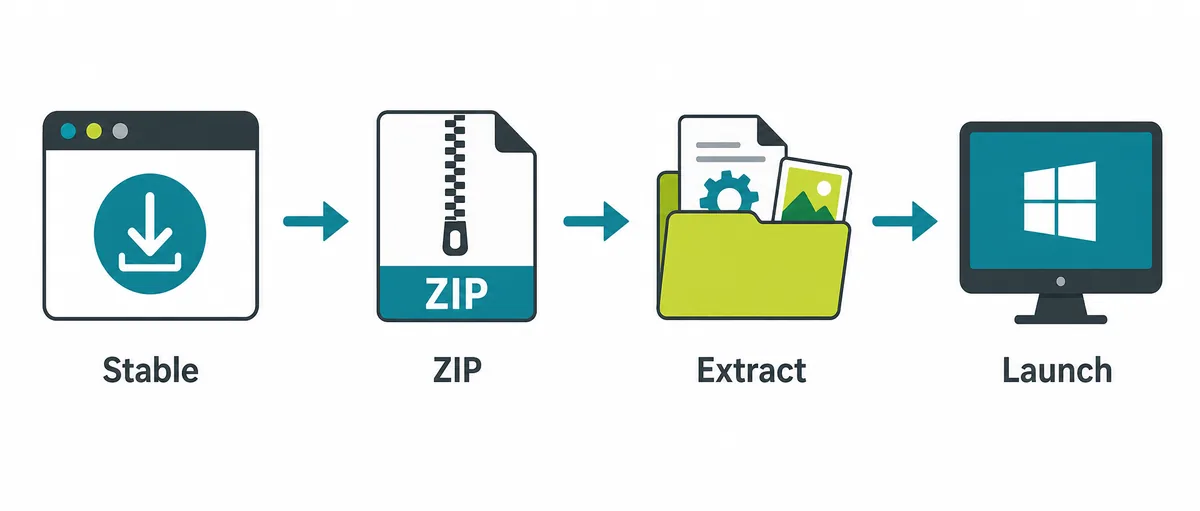
Start with the stable release unless you know you need the nightly build. Check that the URL is github.com/citron-neo and that the release tag or nightly channel matches the build you intend to use.
Download the Windows ZIP
Choose the Windows x64 ZIP asset. A real release page shows a file name, size, release date, and download source. Be suspicious of pages that hide the file name or wrap the emulator in a generic installer.
Extract before launching
Move the ZIP to a normal folder, extract it completely, then launch from the extracted folder. Running from inside the archive can break config files and cache paths.
Set up legal local files
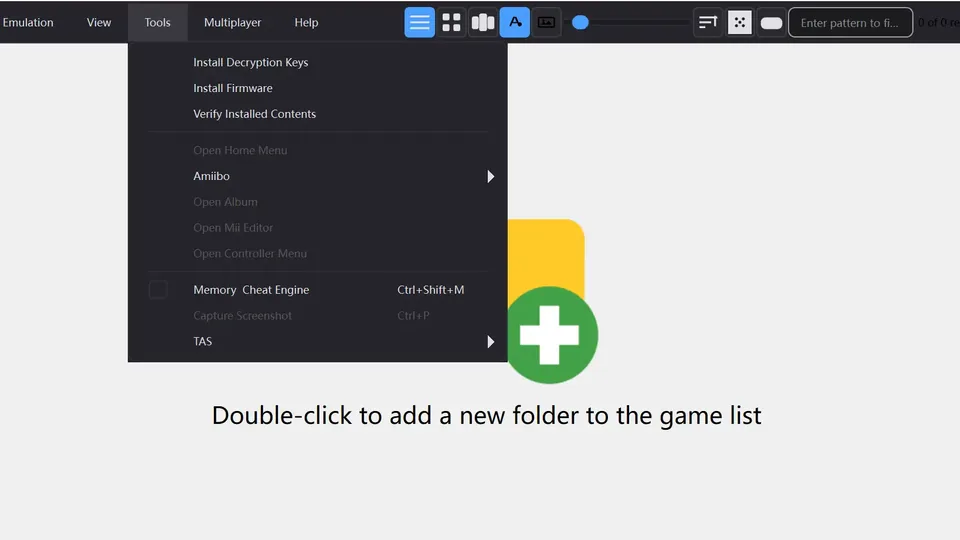
Citron Neo may ask for firmware, keys, or game directories depending on your setup. This site does not provide those files and does not link to copyrighted game files.
After launch
What to check after the Windows download
A successful Citron emulator PC download is only the first step. Windows performance depends on CPU speed, GPU driver support, graphics backend, storage, RAM, and game-specific compatibility. If one game fails, the issue may be a setting, build, driver, or compatibility case rather than a bad download.
Keep stable and nightly builds in separate folders when testing. Mixing files from several builds can make troubleshooting harder, especially when shader cache, configuration files, controller profiles, or game directories were created by a different build.
- Keep the release tag, build hash, and download date in your notes.
- Update GPU drivers from AMD, NVIDIA, or Intel rather than emulator mirror sites.
- Use your own legal game dumps and avoid ROM, NSP, XCI, prod.keys, title.keys, or firmware packs.
- If Windows blocks a file, verify the GitHub source before restoring anything from quarantine.
Common PC issues
Citron emulator PC troubleshooting notes
The emulator will not open
Confirm that the ZIP was extracted, Windows did not quarantine a file, and you downloaded a Windows x64 build rather than an Android APK, Linux AppImage, or macOS DMG.
A game starts but runs poorly
Lower resolution scale, test another graphics backend when available, update GPU drivers, and compare stable versus nightly builds. Change one setting at a time.
A site offers games with the emulator
Treat that as a red flag. A clean Citron emulator PC download page should point to the emulator release source and should not bundle copyrighted games or private console files.
PC download FAQ
Citron emulator PC FAQ
Where should I download Citron emulator for PC?
Use the citron-neo GitHub release pages. This guide links to the stable 2026-04-27 release and the Windows nightly CI channel instead of repacked mirrors.
Should I choose stable or nightly on Windows?
Choose stable first if you want a calmer setup. Choose nightly only when you need a newer commit, a recent bug fix, or a Windows package not available in the stable release.
Is the Windows download an installer?
The Windows release is distributed as a ZIP archive. Extract it before launching and keep the extracted folder where Windows can write configuration and cache files.
Does Citron Neo Wiki provide games, firmware, or keys?
No. Citron Neo Wiki does not host or link ROMs, NSP/XCI files, firmware packs, prod.keys, title.keys, or bypass tools.
Why does the nightly file name include a hash?
The hash identifies the upstream commit used for that CI build. Recording it helps you compare results when a future nightly changes behavior.
Verified sources checked for this guide
- citron-neo/emulator stable release Stable release tag, Windows ZIP file names, file sizes, and release date checked on August 7, 2026.
- citron-neo/CI Windows nightly Windows nightly build hash 22d5038ec, publication date, and ZIP asset checked on August 7, 2026.