macOS download guide
Citron Emulator Mac Download Guide
Choose the Citron macOS DMG from a first-party GitHub release, compare the dated stable package with the current nightly channel, and follow a clean install path without relying on repacked mirrors or bundled game files.
Download buttons open the verified GitHub source after a 15-second safety countdown.
Checked on August 22, 2026
Latest verified Citron macOS build facts
The dated stable release remains 2026-04-27. Its universal macOS disk image is Citron-macOS-nightly-0237a9b88.dmg and the first-party asset metadata lists 73,751,331 bytes. The direct stable file is a useful baseline because the tag and filename are fixed.
The current macOS nightly channel was published on August 21, 2026 from upstream commit 356b62908. The official CI metadata lists Citron-macOS-nightly-356b62908.dmg at 73,621,337 bytes. Nightly builds can change quickly, so open the release page, record the hash, and keep the stable DMG available for rollback.
macOS release facts
The stable DMG direct link returned HTTP 200 with a matching 73,751,331-byte asset. The current nightly metadata is verified through the official CI API; its release page is used as the download fallback until a direct request is available.
Stable or nightly
Which Citron emulator Mac build should you choose?
| Build | Best for | File or source | Caution |
|---|---|---|---|
| Stable macOS | A first installation, a repeatable baseline, or troubleshooting where you want a dated package. | Citron-macOS-nightly-0237a9b88.dmg from the 2026-04-27 stable release. | Check the owner, tag, filename, and byte size before opening the disk image. |
| macOS nightly | Testing a recent fix or upstream change when the stable build does not address a known issue. | Open the official nightly-macos release page and look for Citron-macOS-nightly-356b62908.dmg. | Keep the commit hash and date. Do not replace a known-good stable folder until the nightly is tested. |
| Wrong platform asset | Avoiding a common download mistake when a page lists Windows ZIPs, Android APKs, and Linux AppImages together. | For a Mac, use the .dmg asset under the macOS release channel. | A ZIP, APK, or AppImage is not a macOS installation package. |
DMG install flow
How to download and install Citron Emulator on a Mac
Open the right release
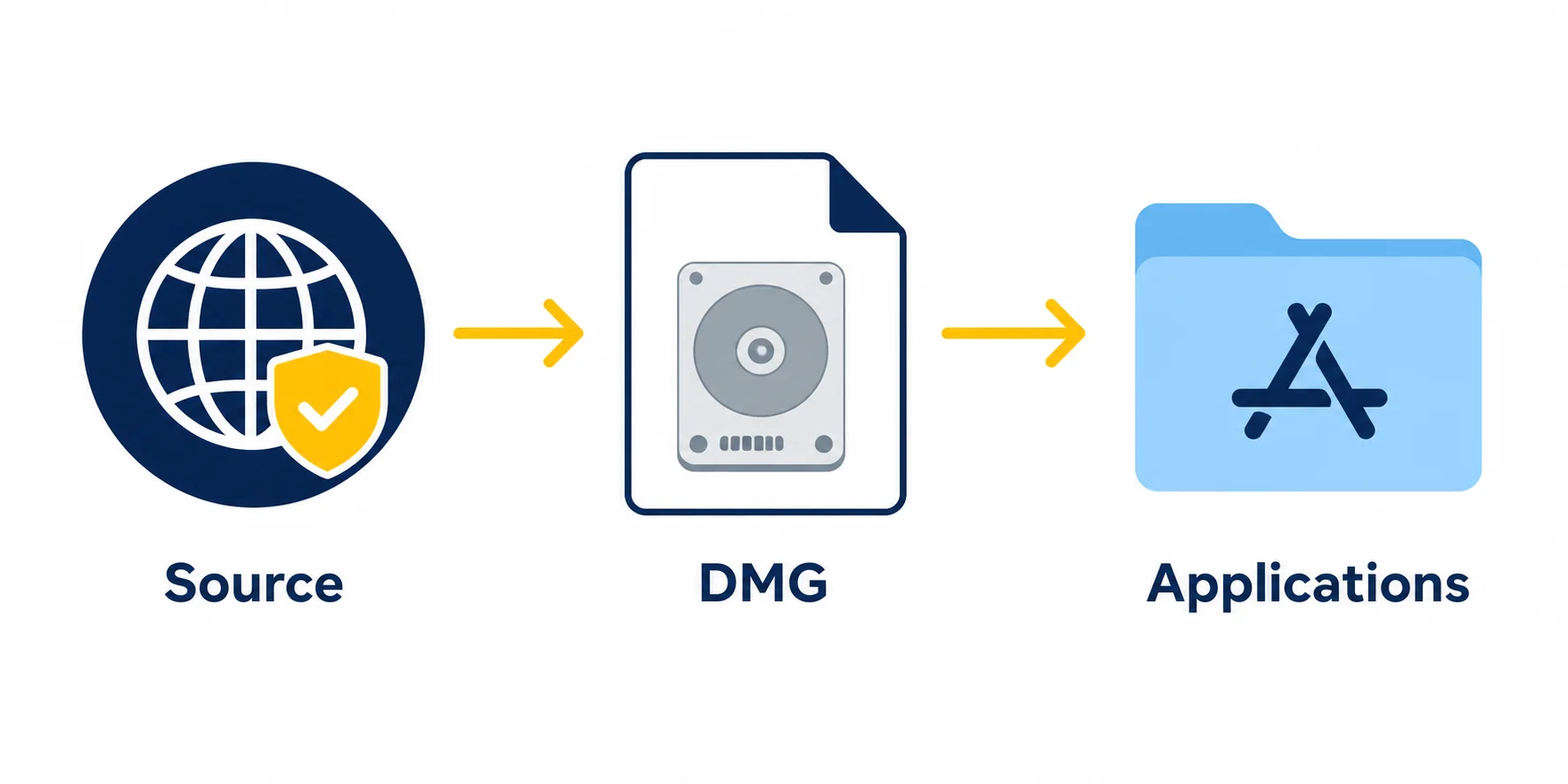
Use the citron-neo/emulator stable tag for the dated baseline or the official citron-neo/CI nightly-macos page for a recent build. Confirm that the repository owner is citron-neo before downloading.
Download the DMG
Choose the macOS .dmg asset, not a source-code archive or another platform package. Compare the filename and size with the release metadata before opening it.
Move the app to Applications
Open the disk image, drag the application to Applications, eject the mounted image, and keep the original DMG only if you want a rollback copy. Do not run the app from a temporary mounted location.
Launch with a clean baseline
On first launch, macOS may ask for confirmation because the app was downloaded from the internet. Use the official source you verified, then keep configuration and test notes separate for stable and nightly builds.

After the first launch
What to check after a Citron Mac download
A successful DMG install does not guarantee that every game will run well. Record the Mac model, macOS version, Citron build hash, graphics backend, resolution scale, controller, and game version whenever you test compatibility. This makes a later stable-versus-nightly comparison useful instead of anecdotal.
Keep the legal boundary clear: this guide points to emulator release assets and explains setup concepts, but it does not host or link games, ROMs, NSP/XCI files, firmware packages, prod.keys, title.keys, or bypass tools. Use only files you are legally allowed to use.
- Confirm that the downloaded asset is the universal macOS DMG from a citron-neo release.
- Keep stable and nightly applications or configuration folders separate while testing.
- Update macOS graphics components and controller software from their first-party sources.
- Do not treat a security warning as permission to use an unverified mirror or repacked installer.
Common Mac issues
Citron emulator Mac troubleshooting notes
The DMG will not mount
Re-download from the official release source, compare the filename and byte size, and avoid archives that were renamed by a third-party mirror. Keep the stable file as a known-good comparison.
macOS blocks the first launch
Verify that you opened the DMG from the citron-neo release source, moved the app to Applications, and are not using a repacked installer. If the source cannot be verified, do not bypass the warning.
A game starts but performs poorly
Record the build hash, graphics backend, resolution scale, controller, and Mac model. Change one setting at a time and compare with the stable build before blaming the download.
The wrong file was downloaded
Windows uses ZIP, Android uses APK, Linux uses AppImage, and macOS uses DMG. Return to the platform release page instead of renaming another package.
Mac download FAQ
Citron emulator Mac FAQ
Where should I download Citron Emulator for Mac?
Use the citron-neo/emulator stable release or the citron-neo/CI nightly-macos release page. This guide uses a verified stable DMG direct link and the official nightly release page as a safe fallback.
What is the latest Citron macOS build?
The stable tag remains 2026-04-27. The latest verified macOS CI metadata in this check is nightly commit 356b62908, published on August 21, 2026, with a 73,621,337-byte DMG asset.
Is the Mac file an installer?
The macOS release is a DMG disk image. Mount it, move the application to Applications, eject the image, and launch from the installed copy.
Should I use stable or nightly on macOS?
Start with stable when you need a repeatable baseline. Use nightly when you can test and roll back, and record the upstream commit because the channel can change.
Does Citron Neo Wiki provide games, keys, or firmware?
No. Citron Neo Wiki does not host or link copyrighted games, ROMs, NSP/XCI files, firmware, prod.keys, title.keys, or bypass tools.
Why does the nightly button open a release page instead of a file?
The current nightly asset exists in official API metadata, but the direct file request was not reliably reachable during this check. The release page is the safer fallback because it lets you confirm the current filename and size before downloading.
First-party sources checked for this guide
- Citron stable emulator release Stable macOS DMG filename, byte size, release date, and direct asset response.
- Citron macOS nightly release Current 356b62908 commit, universal macOS package, publication date, and asset metadata.
- Citron official requirements reference First-party reference for platform and hardware requirement context; this site does not claim to be official.