Release notes guide
Citron Releases: Release Notes and Version Guide
Use the first-party GitHub release pages to identify a tagged stable build, read the change summary, match the platform asset, and keep a working rollback point.
What should you check on a Citron release page?
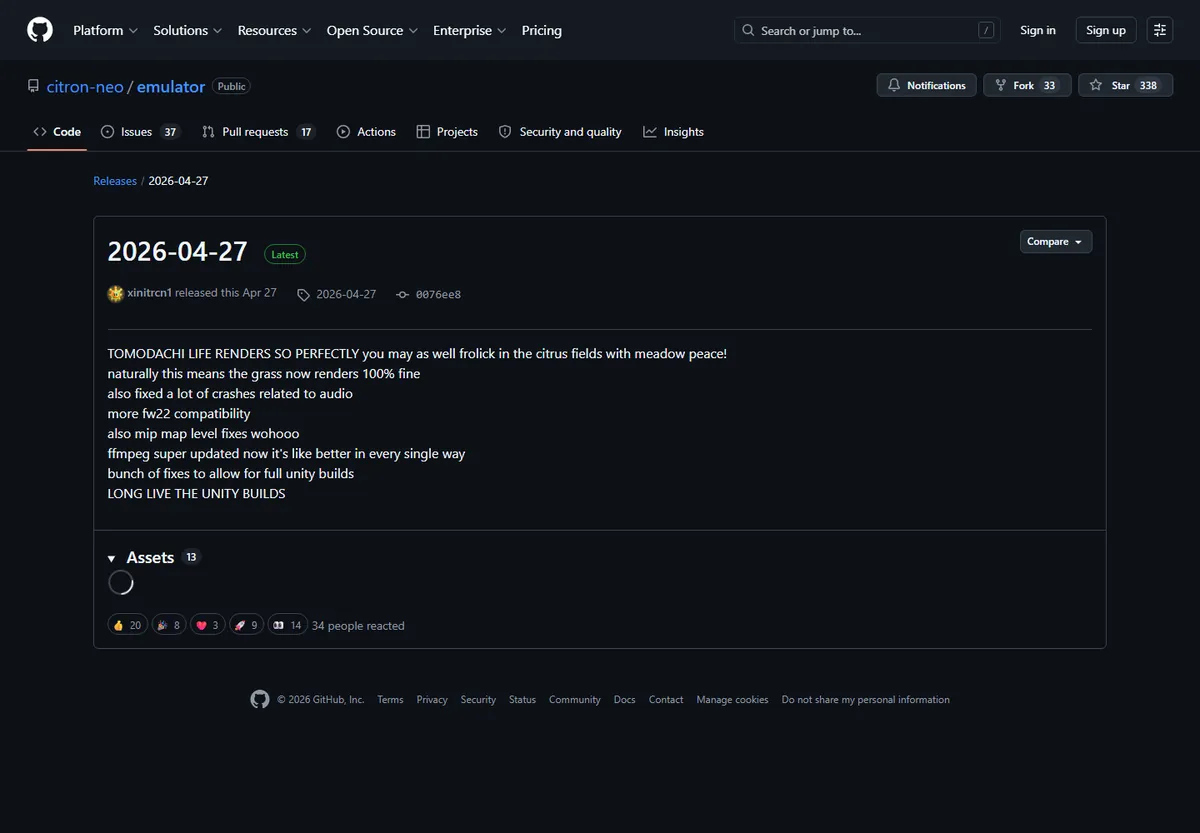
Citron releases are split between a dated tagged release in the citron-neo/emulator repository and rolling platform builds in the citron-neo/CI repository. The stable page currently shows the 2026-04-27 tag. A CI page can publish a newer upstream commit without changing that stable tag, so the repository, tag or commit, platform, and publication date all belong in your download record.
The official release description explains what changed and what may have moved. Read it before replacing a working build: a renderer fix, cache invalidation, configuration move, or platform regression can change the right upgrade decision. The release title alone is not enough evidence.
On 2026-10-23, the official pages exposed a CI Linux release based on upstream commit 598b700 and dated 2026-10-16. This is a time-stamped example, not a promise that every platform has the same commit. Re-open the matching platform release before installing.
Current release map
Citron releases checked on October 23, 2026
Use these identities to understand what a release page represents. The dates are evidence snapshots and should be rechecked before a new installation.
Stable tag: 2026-04-27
The dated emulator tag is the best baseline for a repeatable test. It changes less often than a CI channel and gives you a clear restore point.
Source: github.com/citron-neo/emulator/releasesRolling builds use upstream commits
The CI repository publishes Windows, Linux, macOS, and Android builds. A short commit identity is more durable than a generic latest label.
Source: github.com/citron-neo/CI/releasesLinux CI example: 598b700
The fetched Linux release listed upstream commit 598b700 and a 2026-10-16 build date. Treat it as a dated example and verify the current platform tag again.
Checked through the official CI release page on 2026-10-23Release notes are not game files
A GitHub release contains project assets and notes, not copyrighted games, private console files, or keys.
Keep emulator assets separate from your own legally obtained files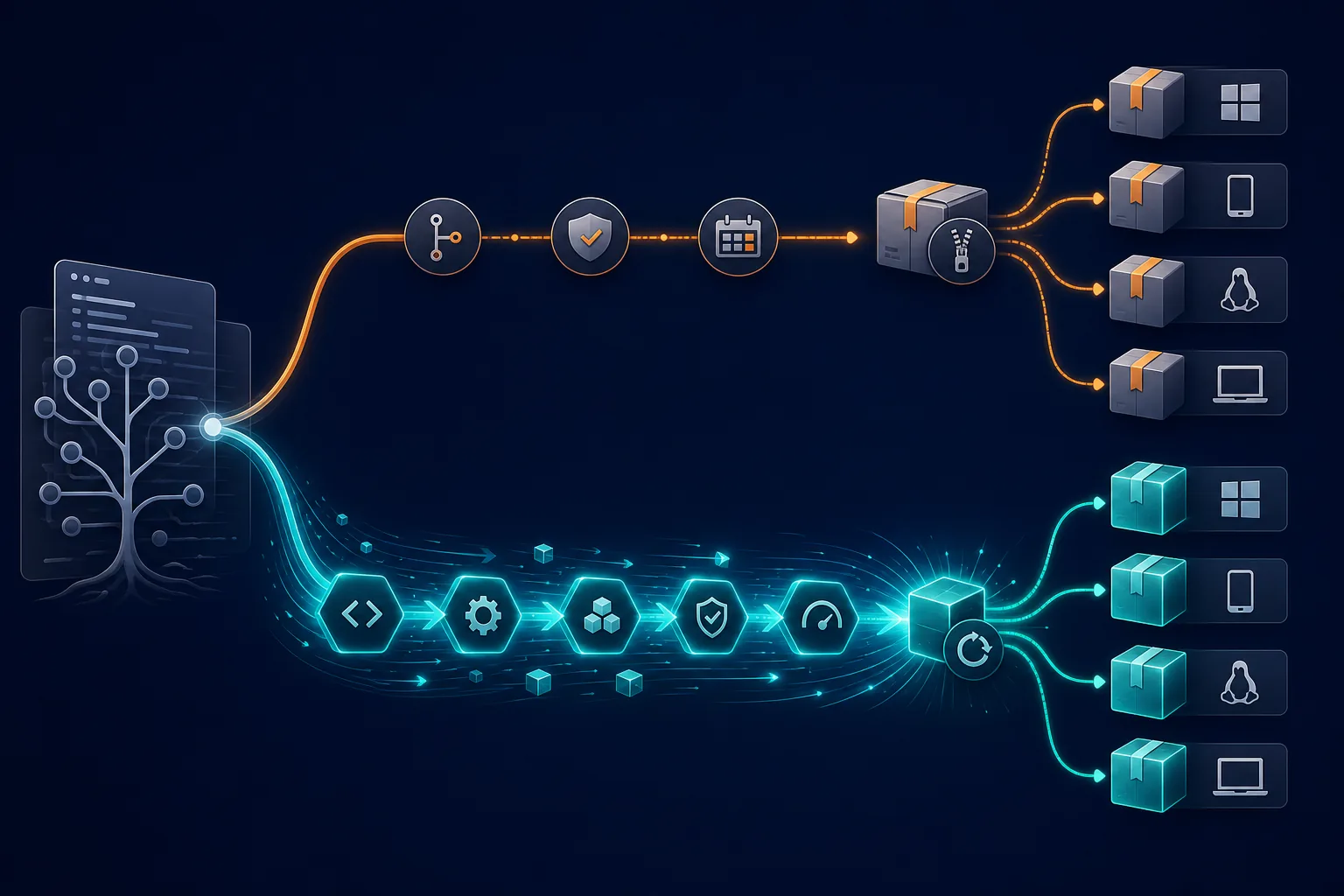
Read the release identity before the changelog
A small Citron releases record prevents the mistake of calling every moving tag the same version. Save the identity first, then interpret the notes.
| Channel | Identity to record | What the notes tell you | Practical action |
|---|---|---|---|
| Stable | 2026-04-27 tag | Dated release notes and assets | Use as a baseline |
| CI Linux | 598b700, dated 2026-10-16 | Upstream commit and platform formats | Test only when a newer fix matters |
| CI Windows, Android, macOS | The matching platform tag and commit | Platform-specific build status | Verify each page independently |
| Source archive | GitHub generated source ZIP | A development snapshot, not a ready package | Do not use it as an installer |
The official release page is the download target. Avoid guessed CDN paths, shortened links, repacked installers, and mirrors that remove the release context.
Release-note reading
Four signals worth reading in Citron release notes
Citron releases are most useful when their notes answer a decision you need to make. Scan for these signals before downloading an update.
Compatibility or regression scope
Look for words that identify a game, renderer, controller, operating system, or firmware interaction. A fix for one path does not automatically improve every platform.
- Record the affected subsystem or platform.
- Check whether the note says fixed, changed, experimental, or known issue.
- Keep your current build if the note is unrelated to your problem.
Configuration and cache changes
A release may invalidate shader caches, move a user folder, change defaults, or require a clean first launch. These notes explain why an update can look like a new bug.
- Back up your own configuration first.
- Do not copy an old cache into a new test folder without a reason.
- Use the release note as the source for migration steps.
Asset and architecture hints
The notes or asset names may distinguish x64, x86_64_v3, aarch64, Android, or macOS packages. Choose the package that matches the host rather than the most prominent filename.
- Confirm operating system and CPU architecture.
- Treat AppImage, ZIP, DMG, and APK as different package types.
- Read the release page when an asset has an unusual suffix.
Choose a platform asset without guessing
The release notes and the asset list answer different questions. Notes explain the change; the filename tells you what can run on your device. Use both.
Confirm the owner
The address should be under github.com/citron-neo/ and the repository should match the channel you intended to use.
Copy the tag or commit
Save the stable tag or the full upstream commit shown in the release description before clicking an asset.
Match the operating system
Windows ZIP, Linux AppImage or tar.zst, macOS DMG, and Android APK are not interchangeable packages.
Match the architecture
Choose x86_64, x86_64_v3, aarch64, Apple silicon, or another label only when it matches the host device.
Keep the release context
Download from the asset list so the filename, date, notes, and repository remain visible for later checks.

Upgrade decision
When new Citron releases are worth testing
A newer release is not automatically the right release. Tie the upgrade to a concrete problem and keep a measured comparison.
Use the stable tag for a control test
Choose the dated stable release when you need a known reference, are setting up a device for the first time, or want to separate an emulator problem from a nightly regression.
- Use the stable tag as the first clean launch.
- Record the renderer, controller, and content state.
- Keep it installed while you test another channel.
Use CI when a specific change justifies it
A CI build makes sense when the notes match a bug or platform fix you need. It is a test channel, not a guarantee of better results.
- Change one variable at a time.
- Keep the exact commit and platform.
- Return to stable when the result is worse.
Safe update workflow
A repeatable way to test a new release
This sequence keeps release comparisons useful and gives evidence to undo a change without guessing.
Describe the problem first
Write down what fails, on which platform, with which content, and whether the stable build already shows the issue.
Read the matching release notes
Open the official tag or platform CI release and look for a fix, regression warning, cache change, or configuration migration.
Record the release identity
Save repository, tag or commit, publication date, asset filename, and architecture before you download.
Back up your own setup
Preserve your configuration, saves, and working build. Never treat the new archive as a backup.
Test one variable
Use the same device, settings, and test case first. A build change and a renderer change at the same time hide the cause.
Keep or roll back deliberately
Compare with the baseline and keep the new build only when it solves the stated problem without a blocking regression.

Rollback plan
Keep a known-good release before upgrading
The easiest rollback is a side-by-side setup. Keep the stable 2026-04-27 build in its own folder, test a CI release in another folder, and avoid mixing caches or configuration files until the new build has passed your check.
If the new build fails to launch, shows a black screen, changes input, or performs worse, return to the stable folder first. Do not start changing drivers, firmware, and graphics settings at the same time; those changes make the release comparison harder to explain.
When a replacement was unavoidable, restore your own backup and repeat the exact test. Record the commit that caused the regression and the commit that restores the working result. That evidence is more useful than a vague claim that the latest release is broken.
- Keep stable and CI builds in separate folders where possible.
- Back up your own configuration and saves before replacing a build.
- Restore the baseline before changing settings or drivers.
- Keep the release URL, commit, asset name, and test notes together.
Release-related problems and the next check
Use the release identity to narrow the problem before changing unrelated settings.
| Symptom | Check first | Next step |
|---|---|---|
| The download page says latest but the tag is unclear | Read the repository, tag or commit, and publication date. | Record the full identity and avoid a mirror. |
| A new build will not launch | Confirm OS, architecture, package type, and clean-folder test. | Return to the known-good release before changing settings. |
| A game or app behaves differently | Compare the release notes for renderer, cache, or compatibility changes. | Repeat the same test on stable and save both identities. |
FAQ
Citron releases FAQ
Where are the official Citron releases?
Use the citron-neo/emulator Releases page for dated tagged releases and the citron-neo/CI Releases page for rolling platform builds. Verify the owner in the URL before downloading.
What is the latest verified stable Citron release?
The stable tag verified on October 23, 2026 is 2026-04-27. Re-open the official Releases page before installing because project history can change.
Is a CI commit the same as a stable version?
No. A CI commit identifies a rolling build from the automated channel. It can be newer than the stable tag and may carry platform-specific changes or regressions.
How do I read Citron release notes?
Start with the release identity, then look for compatibility fixes, renderer changes, cache or configuration moves, known issues, and platform-specific asset notes.
First-party sources
Release facts and links
Citron releases examples come from first-party pages checked on 2026-10-23. Use those pages again for a current asset.
- citron-neo/emulator releasesDated tags, release descriptions, and stable assets.
- citron-neo/CI releasesRolling Windows, Linux, macOS, and Android build pages.
- Citron NEO all buildsA human-oriented index that sends download checks back to GitHub.
- Citron Neo GitHub guideRepository ownership and asset-selection context on this site.