Citron emulator cheat codes
Citron Emulator Cheat Codes on PC: Folder Setup, Activation, and Fixes
Use Citron's per-game Cheats panel first, keep every code tied to the correct game update, and test one change at a time. This guide explains the workflow without distributing games, keys, firmware, or copyrighted code packs.

Quick answer: where do Citron cheat codes go?
On current desktop builds, the safest route is to right-click your game, open Properties, choose the Cheats tab, and use Citron's add or import control. The manager keeps the cheat associated with that game instead of asking you to guess a global folder.
If you inspect or maintain files manually, the important identifiers are the game's Title ID and the exact Build ID for the installed update. A code written for another update can appear correctly installed yet do nothing, crash, or change the wrong value.
Check these four things before adding a code
Legal game dump
Use your own game backup and updates. This page does not link to ROM, NSP, XCI, key, firmware, or cheat-pack downloads.
Current Citron build
Record whether you use stable or nightly. Interface labels and behavior can change between releases.
Exact game update
Find the Title ID and Build ID shown by your installed game version; region and update level matter.
Plain-text code
Use a clean text file from a source you trust. Read the code description and avoid bundles with unknown executables.
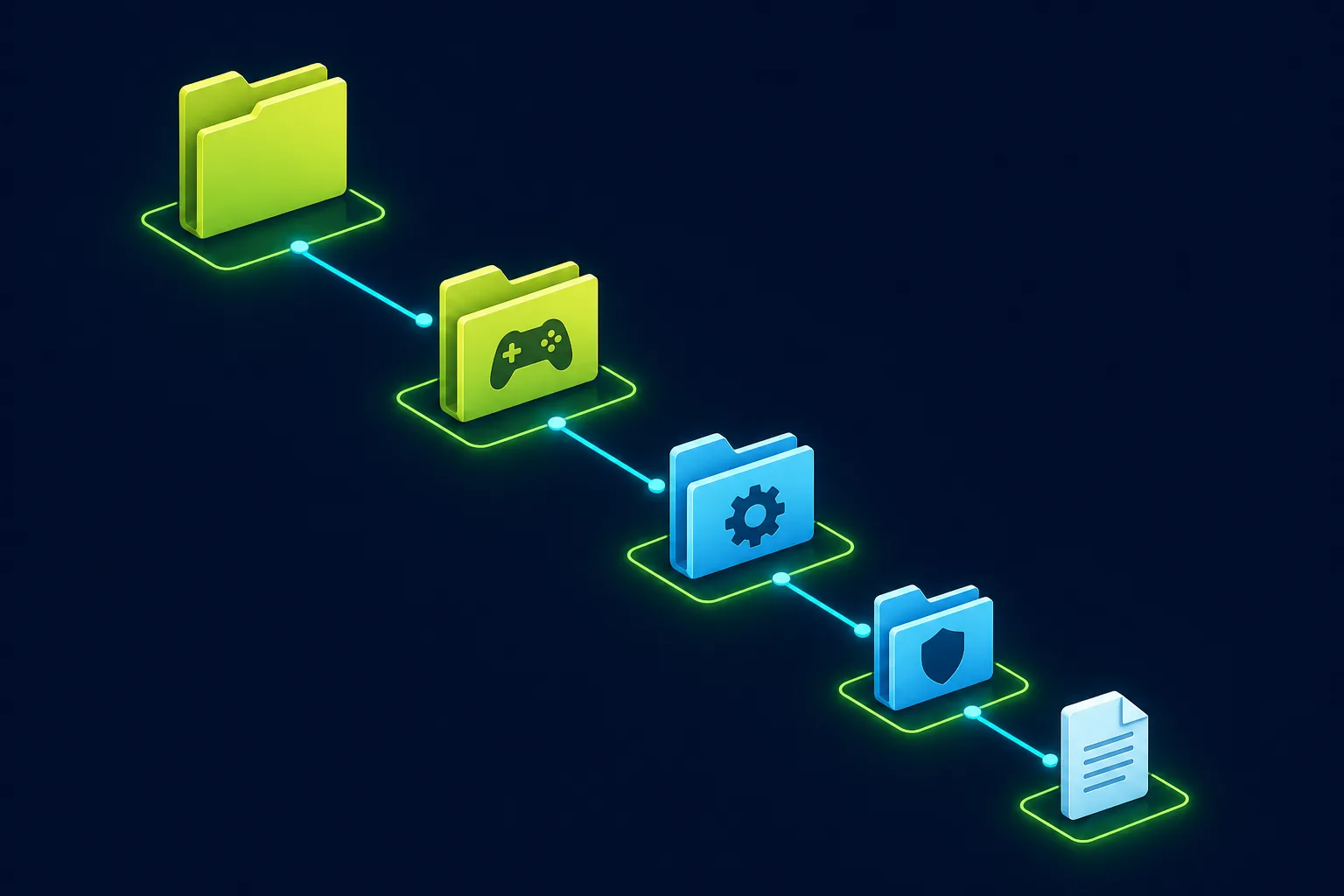
Folder logic
Understand the Title ID and Build ID hierarchy
Citron's built-in Cheats panel is the preferred installation path because it reduces folder-name mistakes. Under the hood, cheat loaders normally separate files by game identity and build identity so one update cannot silently reuse another update's memory addresses.
When troubleshooting, compare every folder and filename character by character. Hexadecimal identifiers can contain only a small visual difference, and Windows may hide the final .txt extension.
load/<Title ID>/<Build ID>/cheats/<descriptive-name>.txtTreat this as a troubleshooting model, not a promise that every Citron release exposes the same storage path. Use the per-game Cheats panel whenever it is available.
How to add and enable Citron cheats on PC
Back up saves
Copy the game's save data before changing memory behavior. Keep a known-good save outside Citron's active data directory.
Confirm the game build
Open game information or properties and record the Title ID, installed version, and Build ID before choosing a code.
Open the Cheats tab
Right-click the game in Citron, select Properties, then open Cheats. Prefer this per-game manager over random global folders.
Add one text file
Import or create one clearly named cheat file. Start with a single code block so failures are easy to isolate.
Enable only one code
Turn on one entry, apply the change, and fully restart the game. Do not enable a large pack during the first test.
Record the result
Note the Citron build, game update, Build ID, code source, and test scene. Disable the code immediately if behavior is unstable.

Why Citron cheat codes do not work
Most failures come from a build mismatch, disabled entry, malformed text, or a test that did not include a full game restart.
| Symptom | Check | Fix |
|---|---|---|
| The code appears but has no effect | Compare the code's Build ID with the installed game update. | Use a code made for the exact build or remove the mismatched file. |
| No cheat entry appears | Check the file extension, text encoding, folder depth, and whether the game was selected in Properties. | Use a plain .txt file and add it again through the per-game Cheats tab. |
| Citron crashes at launch | Disable all codes and confirm the game starts normally. | Re-enable one code at a time; discard any code that changes unsupported addresses. |
| A code worked before an update | The game update likely changed the Build ID or memory layout. | Keep the old code disabled until a matching version is available. |
| Save data behaves strangely | Stop testing and compare with the backup made before enabling cheats. | Restore the clean save and do not continue with the suspect code. |
Safe testing checklist
- Back up saves and configuration before the first test.
- Download text only from a source you can inspect; never run an unknown installer for a cheat.
- Test offline and avoid using cheats in online or competitive play.
- Keep a note of Citron build, game version, Build ID, and enabled code.
What this guide does not provide
- No game, ROM, NSP, XCI, DLC, or update downloads.
- No prod.keys, title.keys, firmware, decryption, or bypass files.
- No promise that a third-party code is safe, compatible, or permanent.
- No support for cheating in online services or bypassing game rules.
Citron cheat code FAQ
Related Citron setup guides
Official references
- Citron Cheats documentation — Official per-game Properties and Cheats workflow; the site returned Cloudflare 521 during local screenshot capture on July 22, 2026.
- Citron per-game cheats implementation — First-party source for the desktop per-game cheat configuration feature.
- Citron official releases — Use the official release source when recording the Citron build used for testing.